
Description
AquaSnake 1260 Moving Head ip65
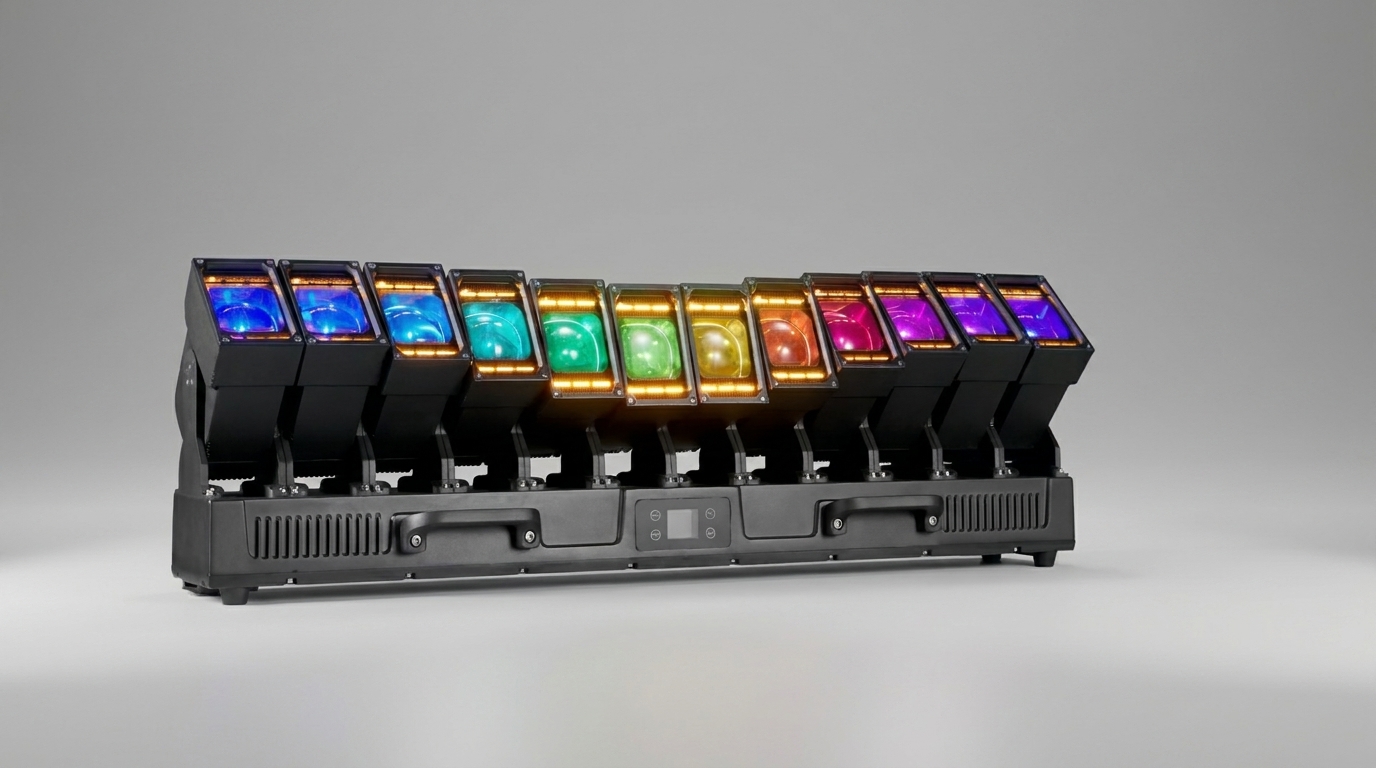
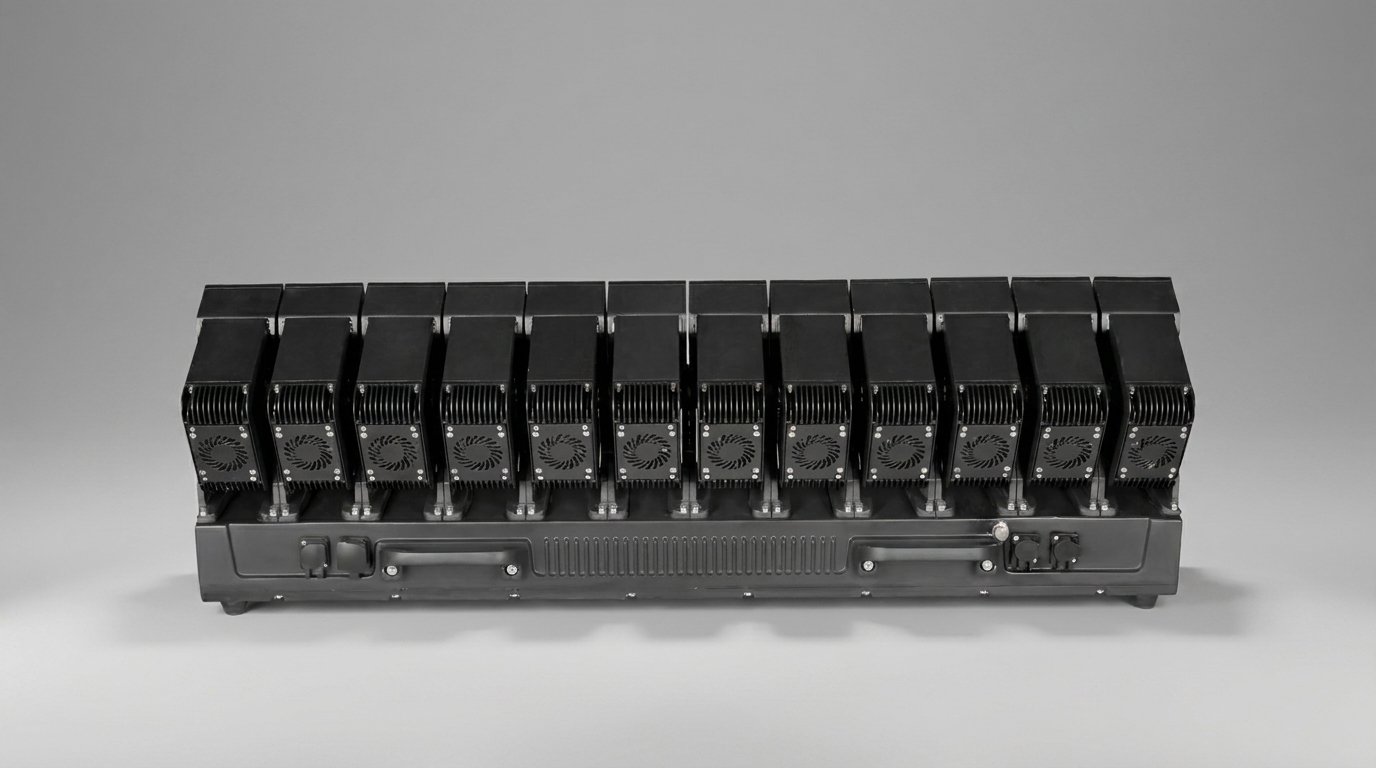
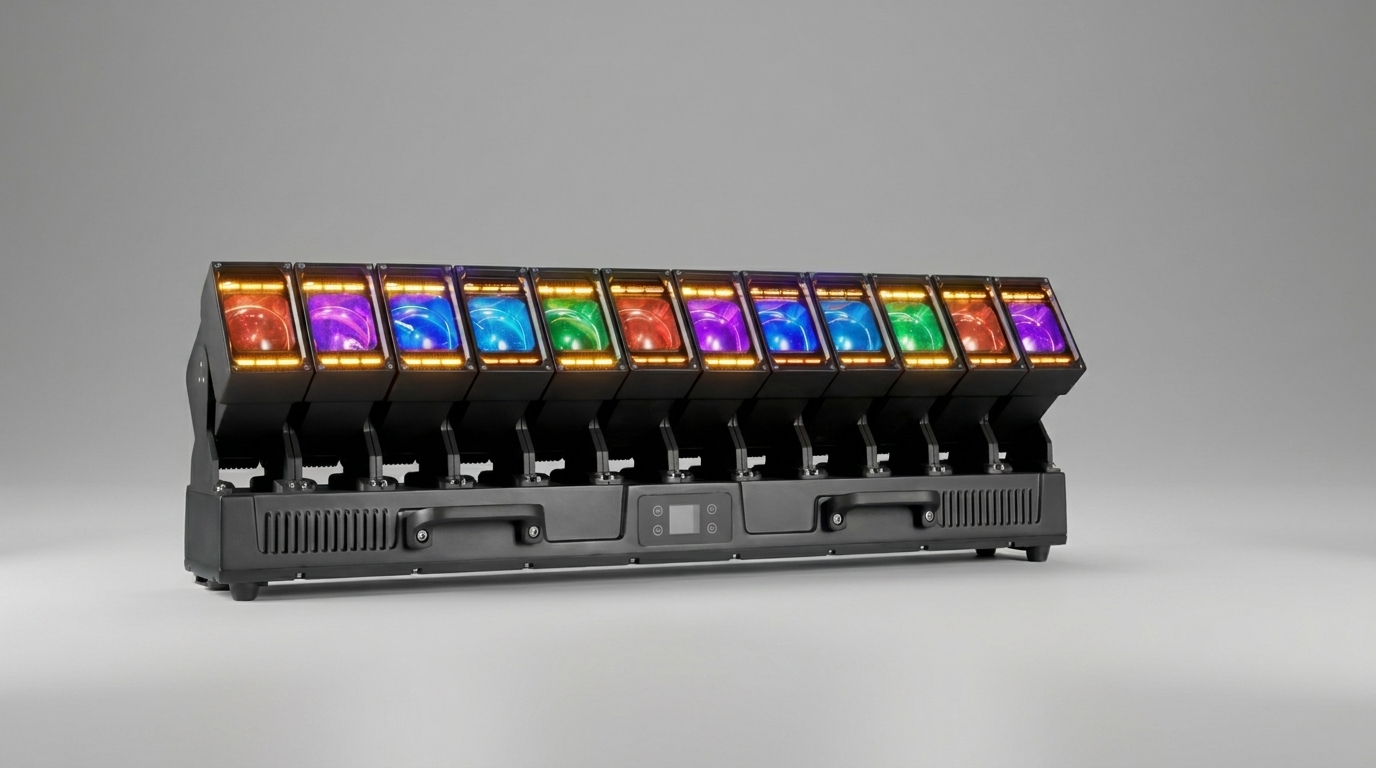
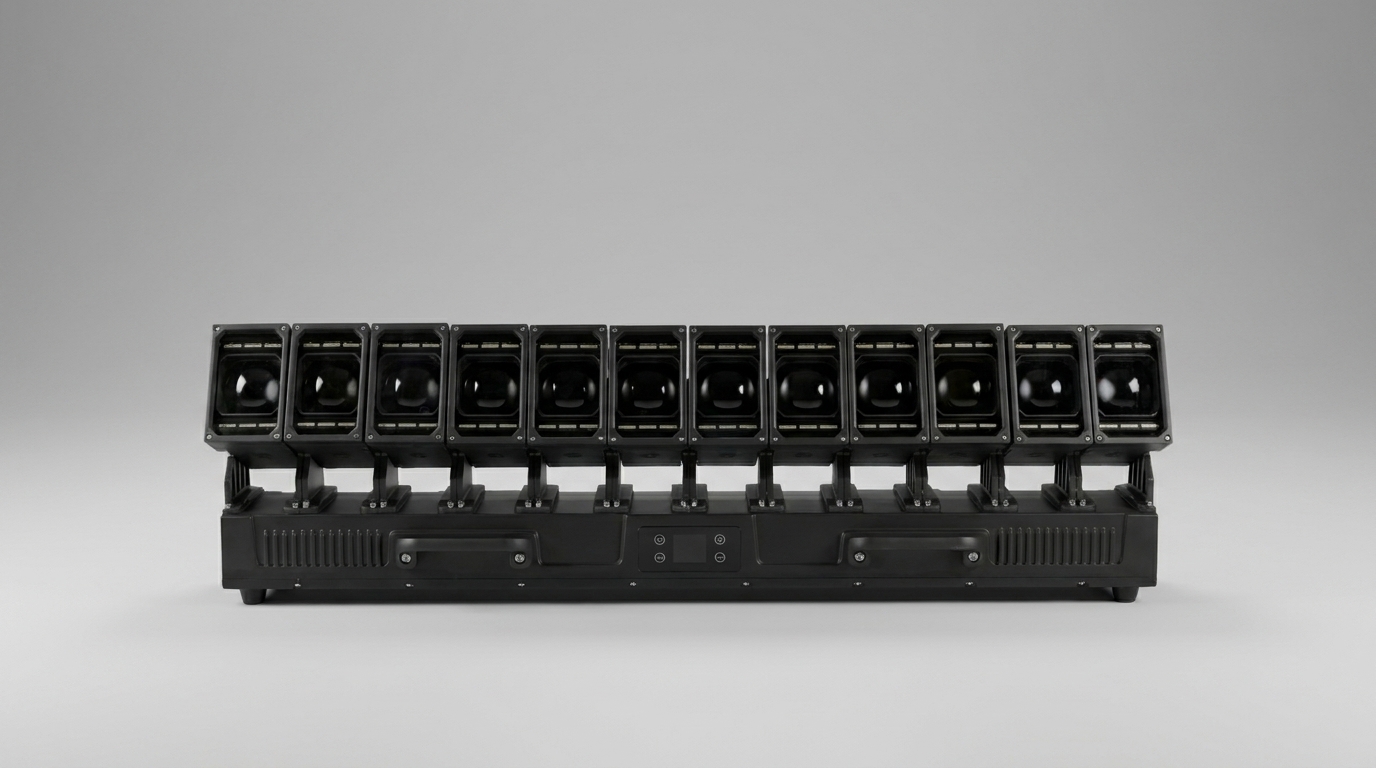
Finding a single fixture that genuinely delivers across multiple disciplines — beam, wash, and pixel effect — remains one of the more difficult challenges in professional lighting specification. The AquaSnake 1260 is a waterproof moving head built around 12 independent 60W RGBW LED modules and a secondary array of 432 dual-colour pixel LEDs, all packed into one unit with full DMX512 and RDM support. This article breaks down everything a technical specialist needs to evaluate before adding it to a rig or rental inventory.
Light Engine and Power Architecture
The primary light source consists of 12 four-in-one LED modules at 60W each (Red, Green, Blue, White), delivering a combined optical output from 720W of LED power within a total fixture draw of 850W. The remaining power budget covers the control electronics, motor drivers, and the forced-air cooling system. The fixture operates on a universal voltage range of AC 100–240V at 50/60Hz, making it compatible with venue power supplies worldwide without step-down transformers.
The secondary light system — 432 dual-colour LEDs at 1W each (cool white + warm gold/CTO) — serves as a fill and effect layer that operates independently from the main modules. In the highest DMX mode, these LEDs are divided into six individually addressable segments per module, giving the operator granular control over 72 separate fill-light zones across the entire fixture. This level of segmentation is rarely found outside dedicated pixel bars and makes the AquaSnake 1260 a genuinely versatile tool for complex visual compositions.
Motion Control: Independent Per-Module Tilt and Zoom
What separates this fixture from a conventional moving head is the per-module independence of both tilt (Y-axis) and zoom (Scaling). Each of the 12 modules has its own coarse tilt channel, fine tilt channel, zoom channel, and speed channel. This means a single fixture can simultaneously point modules in different directions, fan them across a wide arc, or create wave-like motion patterns — all without a media server.
The built-in Y-axis macro library contains 51 movement programs. The starting position of the macro is controlled via the coarse tilt channel of module 1, the swing amplitude via the fine tilt channel of module 1, and the speed via the dedicated Y-axis speed channel. This logical mapping makes macro programming straightforward on any console. For installations requiring precise mechanical alignment, the system calibration menu (password: 6688) allows individual motor home positions to be offset by ±127 steps, compensating for hardware mounting tolerances without physical adjustment.
Axis inversion for both the Y-axis and pixel direction is available as a menu setting, making inverted truss mounting seamless. The display panel also features an automatic screen orientation function that rotates the readout based on gravity — a small but practical detail when reconfiguring between upright and inverted installations.
Colour System and Dimming
The colour mixing engine supports two operational modes: RGBW mode (0 = off, 255 = full intensity) and CMY mode (255 = neutral, 0 = maximum saturation). Switching between modes is handled in the system settings menu and does not require changes to the console patch, which is useful when working with consoles that default to CMY logic such as certain grandMA configurations.
The built-in colour macro library covers 251 colour presets, ranging from pure spectral hues through smooth colour fades and snap transitions. Colour temperature macros span from warm 2700K to cool 19000K, with CTO emulation available for matching the fixture to tungsten sources on stage. A separate background colour layer with its own dimmer channel allows a static wash to be maintained independently of the main pixel effects — useful for creating depth without additional fixtures.
32-bit linear dimming across the full 0–100% range eliminates visible stepping during slow fades, which is a non-negotiable requirement for broadcast and theatrical applications. The strobe system operates between 1 and 30Hz and offers multiple modes through a single DMX channel: uniform strobe, random strobe, pulse strobe, fast-open/slow-close, slow-open/fast-close, and their random variants.
DMX Profiles: Matching the Mode to the Application
Seven DMX profiles are available, and the choice between them is a genuine design decision rather than a formality. Understanding what each profile adds is essential for efficient console programming.
- 26CH — All 12 modules controlled as a single unit. Single tilt, single zoom, single RGBW. Ideal for small venues or consoles with limited channel capacity.
- 59CH — Individual tilt and zoom per module with unified colour control. Good balance between flexibility and channel economy for mid-size rigs.
- 128CH — Individual RGBW control per module. This is the entry point for true pixel mapping and per-module colour differentiation.
- 152CH — Extends 128CH with additional dimmer fine-tune and background colour fine-tune channels.
- 182CH — Full control including individual dimmer and fine dimmer per module alongside RGBW.
- 314CH — Adds segmented fill-light control (white + yellow) per module zone, enabling detailed auxiliary light programming.
- 329CH — Maximum resolution mode: Fine-tune channels for every parameter of every module — Tilt Fine, Dimmer Fine, RGBW Fine — plus six independent fill-light segments (white + yellow) per module, totalling 72 auxiliary channels. This mode is designed for media server integration and full pixel-mapping workflows.
Address calculation follows the standard DMX convention: the start address of the next fixture equals the start address of the current fixture plus its channel count. The first fixture is set to A001. With 329CH mode and multiple fixtures, channel planning becomes critical — a chain of four fixtures in 329CH mode alone consumes 1316 channels, requiring a universe split.
DMX512 and RDM Integration
The fixture is fully compliant with the DMX512 standard and supports RDM (Remote Device Management) as defined in the DMX512-A extension. RDM enables bidirectional communication over the same cable infrastructure: remote address assignment, DMX profile switching, real-time diagnostics, and firmware status — all without physical access to the fixture.
Correct RDM implementation requires attention to three infrastructure requirements. First, the console or host device must support the RDM protocol. Second, all signal splitters in the chain must be bidirectional — standard unidirectional amplifiers block the return data path and prevent RDM discovery entirely. Third, a 120-ohm termination resistor between pins 2 and 3 of the last fixture’s output XLR is mandatory for both DMX signal integrity and RDM reliability. On long cable runs, differential signalling is recommended to reduce reflections and improve communication quality.
Firmware updates are delivered via DMX connection without removing the fixture from the rig. Synchronous updates across multiple fixtures are possible by connecting them in a single DMX chain with the console signal disconnected — a significant operational advantage for large rental inventories.
Standalone Operating Modes
For installations where a lighting console is not part of the system, the AquaSnake 1260 offers four standalone modes accessible directly from the front panel menu.
Self-Drive 1 and Self-Drive 2 run two separate built-in programs in a continuous loop — suitable for permanent decorative installations or pre-show atmosphere lighting. Voice-Controlled mode uses the onboard microphone to trigger scenes on audio impulse detection; when no significant sound is detected, the fixture holds its last state. Master-Slave mode allows a group of fixtures to synchronise over a DMX cable without a console — one unit acts as master, the others mirror its program. This mode is particularly useful for quick club setups where full console programming is not required.
Onboard Diagnostics and Monitoring
The four-button display panel provides access to a comprehensive diagnostics menu that covers every critical system parameter. The DMX data monitor displays live channel values for all active channels — an invaluable tool for troubleshooting patch issues on-site without a laptop. The sensor information menu shows the temperature of each of the 12 modules and the Hall sensor status for the X-axis, Y-axis, and zoom across five detail levels.
Temperature sensor faults are indicated by two distinct codes: ---℃ signals an open circuit in the sensor wiring, while ***℃ indicates a short circuit. Both conditions require professional repair, but the clear fault code allows rapid fault localisation without disassembly. Communication errors between the display board and the light board (IC1/IC2 fault) and opto-coupler errors on the X/Y axes are logged at startup and visible in the system information menu. Hardware and software version numbers for the display board, light board A, and light board B are all individually accessible.
Installation Requirements and Safety
The fixture supports horizontal mounting, angled mounting, and inverted truss mounting. The quick-lock suspension system includes a dedicated safety cable attachment point separate from the mounting bracket. The suspension point must be rated to support at least 10 times the weight of the fixture — standard practice for professional rigging. The safety cable must be attached to the designated suspension point only, never to the carrying handle.
Minimum clearance from flammable materials at the mounting point is 0.5 metres; minimum distance from the fixture surface to illuminated objects is 2.5 metres. The protection rating of the power connectors is IP20, confirming that this is an indoor-only fixture despite the “waterproof” designation in the product name — the waterproofing referenced in the documentation relates to the fixture’s structural resilience rather than outdoor IP certification.
Recommended maximum continuous operating time is 10 hours, with a minimum 10-minute cooling interval between sessions. The forced-air cooling system requires monthly cleaning of all ventilation outlets — dust accumulation is the primary cause of thermal protection trips and intermittent operation in high-use environments. In particularly dusty venues such as clubs or warehouses, a two-week cleaning cycle is advisable.
Common Faults and Field Troubleshooting
Fixture does not respond to console after reset. Verify the start address, check DMX cable continuity, confirm the terminator is installed on the last fixture in the chain, and consider adding a signal amplifier on long runs.
Reduced output or dim beam. Clean all optical elements and lenses. Check whether the LED modules have reached end of service life through the temperature and sensor menus.
Intermittent operation. Almost always caused by thermal protection triggering due to blocked ventilation. Clean all fan outlets and monitor module temperatures via the diagnostics menu.
Fixture fails to power on. Check the fuse at the power input socket and inspect all internal board connectors for vibration-induced loosening — a common issue after long-distance transport.
RDM discovery fails while DMX control works. The splitter in the signal chain is unidirectional. Replace with a bidirectional RDM-compatible splitter and verify the integrity of XLR pins 2 and 3 throughout the chain.
Temperature sensor error codes on display. ---℃ indicates an open circuit; ***℃ indicates a short circuit. Both require professional repair — do not attempt to resolve by resetting the fixture.
Summary: Where the AquaSnake 1260 Makes Sense
The AquaSnake 1260 is most compelling in scenarios where rigging points are limited but visual complexity is a priority. A single fixture operating in 128CH or 329CH mode can deliver effects that would otherwise require a beam head, a wash fixture, and a pixel bar — reducing rig weight, cable runs, and setup time simultaneously.
For rental companies, the fixture’s versatility across seven DMX profiles means a single SKU can satisfy a wide range of technical riders. For permanent installations, RDM support and over-DMX firmware updates simplify long-term maintenance. For lighting designers, the depth of per-module pixel control combined with 51 built-in movement macros and a rich effects library provides creative flexibility that does not depend entirely on media server availability.
The fixture is best suited for concert halls with capacities up to 3,000 seats, theatres, broadcast studios, corporate event venues, and nightclubs — any environment where a technically demanding show must be delivered efficiently with a compact, well-specified rig.